Sensors
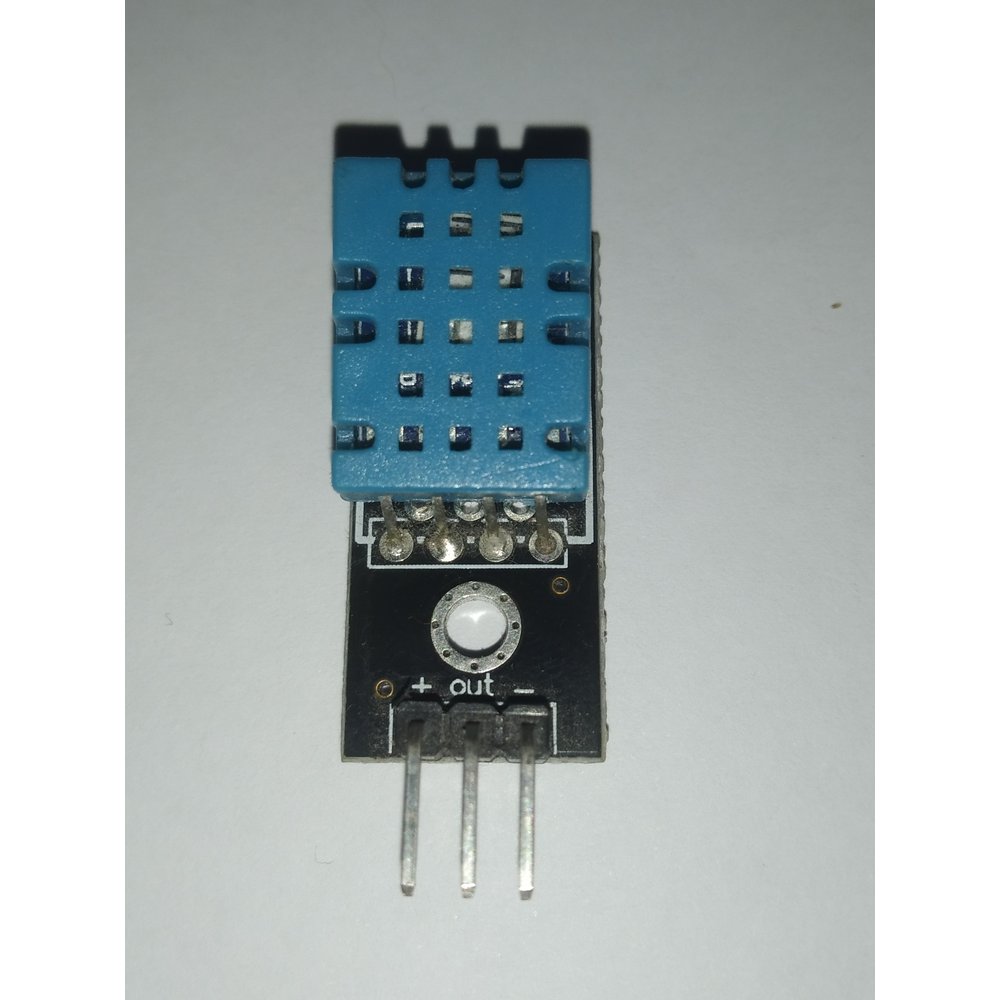
DHT22 Temperature & Humidity Sensor
৳610
Digital temperature and humidity covering 0–100% RH and -40 to 80°C, accurate to about ±0.5°C — the step up from the DHT11.
Same single-wire interface and the same libraries as the DHT11, so swapping one for the other is a one-line code change. The wider range is what makes it usable outdoors.
What you can build
- Outdoor weather stations
- Cold storage and server room monitoring
- Any logging project where the reading has to be trustworthy
Not sure it will work? Test your circuit free in Tekko Sim — on your phone, in Bangla or English.
| Category | Sensors |
| Model no. | DHT22 |
| Availability | In stock |
| In stock | 10 pcs |
| Delivery | Cash on Delivery, nationwide Bangladesh |
| Humidity Range | 0–100% RH |
| Humidity Accuracy | about ±2 to ±5% RH |
| Temperature Range | -40 to 80°C |
| Temperature Accuracy | about ±0.5°C |
| Operating Voltage | 3.3–6V |
| Interface | single-wire digital |
| Sampling Rate | once every two seconds at most |
Questions about the DHT22 Temperature & Humidity Sensor
Is the DHT22 worth the extra over a DHT11?
If the reading matters, yes. It covers 0 to 100% RH against the DHT11's 20 to 90%, works from -40°C instead of 0°C, and is accurate to roughly ±0.5°C rather than ±2°C. For a rough indoor number the DHT11 is still fine.
How often can I read it?
Once every two seconds at most — slower than the DHT11. Reading it more often returns failed or repeated values.
Can I use the same code as a DHT11?
Yes. The same DHT library drives both; you only the sensor type in the constructor from DHT11 to DHT22.
DHT22 কিভাবে Arduino-এর সাথে ওয়্যারিং করব?
DHT22-এর VCC পিন 5V-তে, GND পিন গ্রাউন্ডে এবং DATA পিন যেকোনো ডিজিটাল পিনে (যেমন D2) কানেক্ট করতে হয়। বেয়ার সেন্সর ব্যবহার করলে DATA লাইনে 10k ওহমের পুল-আপ রেজিস্টর যোগ করতে হবে, যদিও বেশিরভাগ মডিউলে এটা আগে থেকেই লাগানো থাকে।
DHT22 লাগানোর পরেও রিডিং না আসলে কিভাবে সমস্যা খুঁজে বের করব?
প্রথমে DHT সেন্সর লাইব্রেরির পাশাপাশি Adafruit Unified Sensor লাইব্রেরিও ইনস্টল করা আছে কিনা চেক করুন, কারণ এটা ছাড়া কোড কম্পাইল হয় না। এরপর ওয়্যারিং ও পিন নম্বর কোডের সাথে মিলিয়ে দেখুন এবং দুই সেকেন্ডের কম সময়ে বারবার রিড করা হচ্ছে কিনা যাচাই করুন।
একই Arduino-তে DHT22 আর LCD ডিসপ্লে কিভাবে একসাথে ব্যবহার করব?
DHT22 থেকে তাপমাত্রা ও আর্দ্রতা রিড করে সেই ভ্যালু ভেরিয়েবলে রেখে LiquidCrystal_I2C লাইব্রেরি দিয়ে lcd.print() এর মাধ্যমে 16x2 LCD-তে দেখাতে হয়। দুটো ডিভাইসের পিন আলাদা রাখলে (I2C জন্য SDA/SCL এবং DHT22 জন্য একটি ডিজিটাল পিন) কোনো কনফ্লিক্ট হয় না।
More in Sensors
All sensors →