Sensors
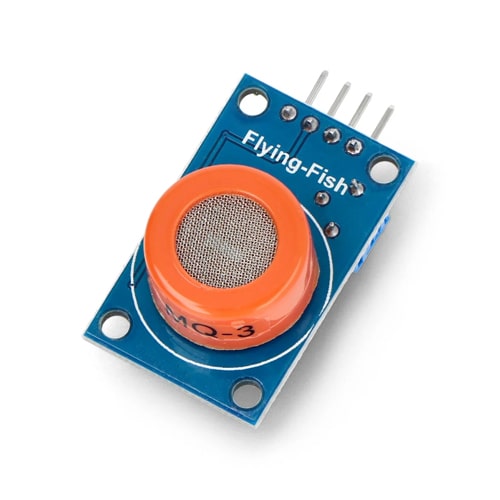
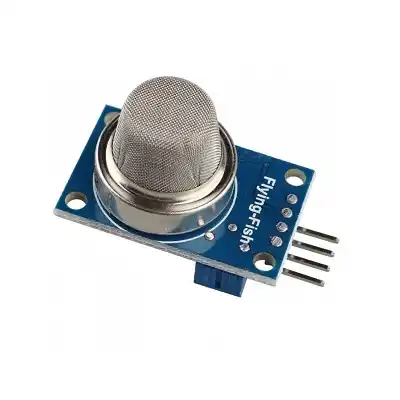
MQ135 Air Quality Sensor
৳160
General air quality sensor responding to ammonia, NOx, benzene, smoke and CO2, with an analog level and an adjustable digital trigger.
It reports overall air contamination rather than isolating one gas, which makes it well suited to "is this room's air getting worse" monitoring. Like all MQ sensors it needs a burn-in period before readings settle.
What you can build
- Indoor air quality monitors and dashboards
- Ventilation control triggered by air quality
- Classroom and office CO2 awareness displays
Not sure it will work? Test your circuit free in Tekko Sim — on your phone, in Bangla or English.
| Category | Sensors |
| Model no. | MQ135 |
| Availability | In stock |
| In stock | 4 pcs |
| Delivery | Cash on Delivery, nationwide Bangladesh |
| Detects | ammonia, NOx, benzene, alcohol, smoke and CO2 |
| Operating Voltage | 5V DC |
| Heater Current | roughly 150 mA |
| Outputs | analog level plus an adjustable digital trigger |
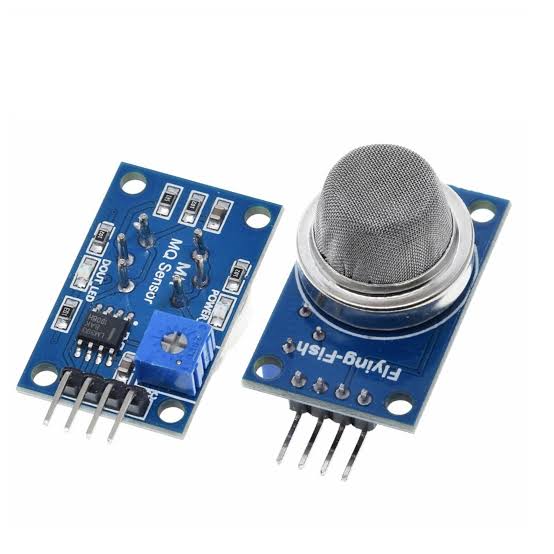
| Comparator | LM393 with an onboard potentiometer |
| Warm-up | about 20 seconds before it responds |
| Burn-in | 24 to 48 hours powered before readings are stable |
Questions about the MQ135 Air Quality Sensor
How do I read the MQ135 in Arduino code?
Connect the analog output to an analog input and read it with analogRead. That gives a raw 0 to 1023 level, not a ppm figure. Converting to ppm requires calibrating the sensor in known clean air first and applying the curve from the datasheet — most projects simply track the raw value going up or down.
Why does it read high the first time I power it?
MQ sensors need burning in. Leave it powered for 24 to 48 hours before trusting any reading, and allow about 20 seconds of warm-up on every power-up after that. This one step explains most "my gas sensor is broken" reports.
Can it give me a real CO2 number in ppm?
Not accurately. The MQ135 responds to several gases at once and cannot separate CO2 from the rest. For a genuine CO2 figure use a dedicated NDIR sensor such as an MH-Z19.
MQ135 সেন্সরটি সংযোগ করার পর Arduino বোর্ড বারবার বন্ধ হয়ে যাচ্ছে কেন ?
MQ135 সেন্সরের ভেতরে একটি হিটিং এলিমেন্ট থাকে যা কাজ করার সময় প্রচুর কারেন্ট টানে। যদি আপনার USB পোর্ট বা ব্যাটারি থেকে পর্যাপ্ত বিদ্যুৎ সরবরাহ না হয়, তবে ভোল্টেজ ড্রপ হয়ে বোর্ড রিস্টার্ট নিতে পারে। এই সমস্যা সমাধানের জন্য আমরা সেন্সরের পাওয়ার লাইনে একটি আলাদা 5V সাপ্লাই লাগাবো এবং অবশ্যই সেন্সর ও Arduino-র গ্রাউন্ড (GND) পিন দুটি একসাথে যুক্ত রাখব।
বাসার বায়ুর মান (Air Quality) পরীক্ষা করতে সেন্সরটি Arduino-র সাথে কীভাবে সঠিকভাবে লাগাবো ?
সেন্সরের VCC পিনটি Arduino-র 5V পিনে এবং GND পিনটি গ্রাউন্ডে যুক্ত করুন। বায়ুর দূষণ বা বিভিন্ন গ্যাসের মিশ্র উপস্থিতি এনালগ ভ্যালু হিসেবে পাওয়ার জন্য AO (Analog Output) পিনটি Arduino-র A0 পিনে লাগাবো । যদি কোনো নির্দিষ্ট দূষণ মাত্রায় শুধুমাত্র একটি এলার্ম বা সংকেত পেতে চান, তবে ডিজিটাল আউটপুট (DO) পিনটি ব্যবহার করা বেশি সুবিধাজনক হবে।
সেন্সরের ডিজিটাল আউটপুট সবসময় অন হয়ে থাকে কেন এবং এটি কীভাবে ঠিক করব?
এটি সাধারণত সেন্সরের সংবেদনশীলতা বা থ্রেশহোল্ড (Threshold) ভুলভাবে সেট করার কারণে হয়। সেন্সরের পেছনে থাকা নীল রঙের পটেনশিওমিটার বা নবটি স্ক্রু-ড্রাইভার দিয়ে ঘুরিয়ে সংবেদনশীলতা কমিয়ে আনা সম্ভব। প্রথমে সাধারণ পরিষ্কার বাতাসে নবটি এমনভাবে ঘোরাবো যেন ডিজিটাল LED টি ঠিক নিভে যাওয়ার অবস্থায় থাকে, যাতে সামান্য ধোঁয়া বা দূষিত গ্যাস পেলেই এটি আবার জ্বলে ওঠে।
MQ135 সেন্সরটি দিয়ে দীর্ঘমেয়াদী এবং সঠিক রিডিং পেতে হলে অন্য কোনো ডিভাইস লাগাবো কি?
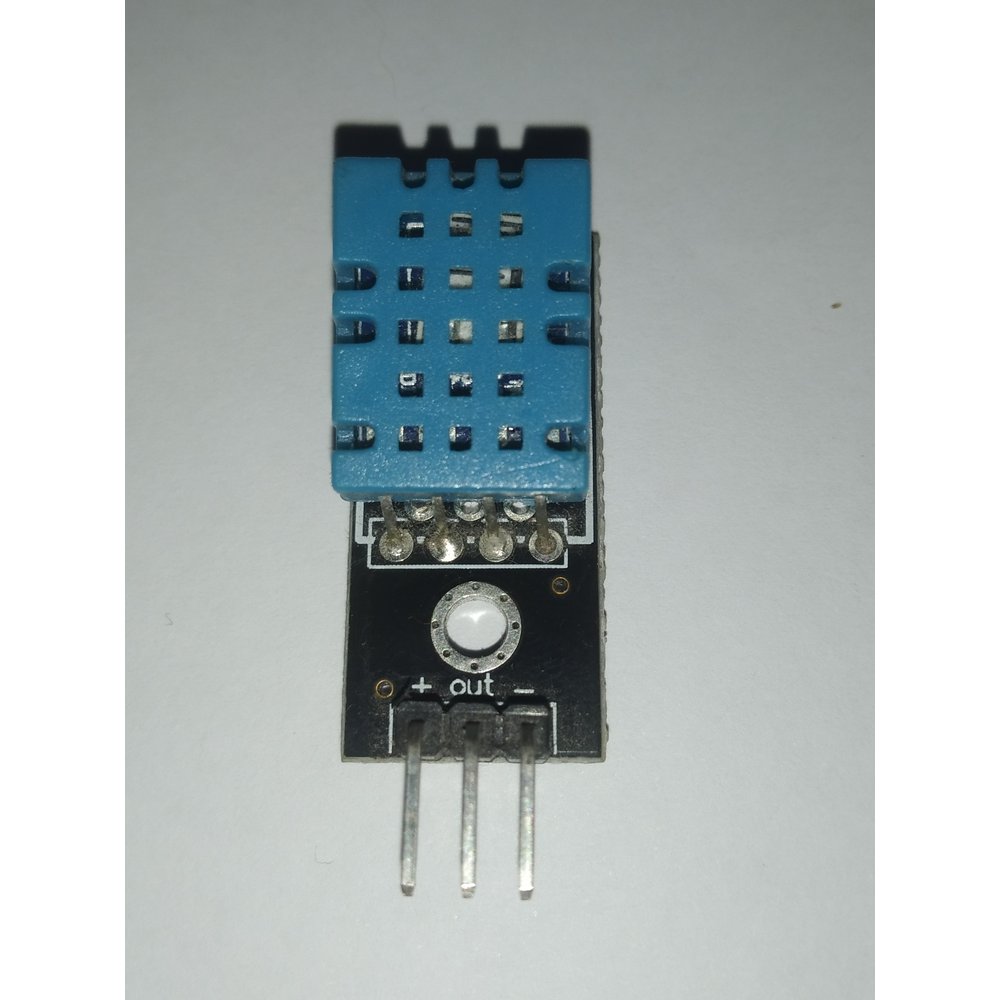
হ্যাঁ, কারণ MQ135 সেন্সরের ডেটা পারিপার্শ্বিক তাপমাত্রা এবং আর্দ্রতার ওপর ব্যাপকভাবে নির্ভর করে। আরও নির্ভুল এয়ার কোয়ালিটি ইনডেক্স পেতে আমরা সেন্সরের সাথে একটি DHT11 বা DHT22 আর্দ্রতা মাপার সেন্সর লাগাবো । সফটওয়্যারের মাধ্যমে তাপমাত্রা ও আর্দ্রতার মান ব্যবহার করে গ্যাসের রিডিং ক্যালিব্রেট করলে অনেক বেশি নির্ভরযোগ্য এবং স্থিতিশীল ফলাফল পাওয়া সম্ভব।
More in Sensors
All sensors →