Ultrasonic Sensor (HC-SR04): Pinout, Code, Common Faults
How the HC-SR04 ultrasonic sensor measures distance, its four pins, the Arduino code that turns microseconds into cm, and five fixes for bad readings.
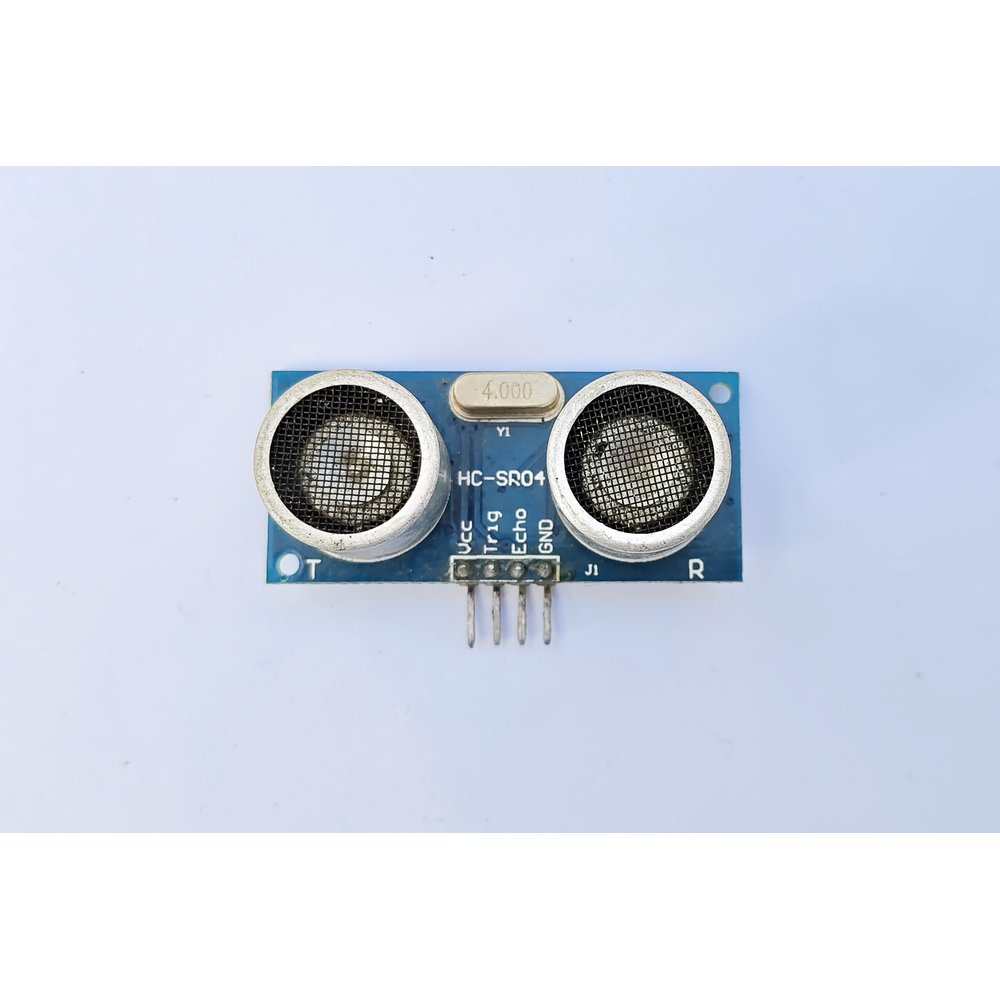
A smart dustbin, an obstacle-avoiding robot, a car's parking sensor: inside all three sits roughly the same part, an ultrasonic sensor. The one you will meet in hobby projects is the HC-SR04. It works like a bat. It fires a 40 kHz burst of sound, times how long the echo takes to come back, and reports the distance in centimeters.
The two round "eyes" on the front do the work. One is a speaker (T) that sends the burst, the other a microphone (R) that hears the echo. Sound moves at 343 m/s in air. It travels out and back, so distance = time × 343 ÷ 2.
What you need
- One HC-SR04 sensor
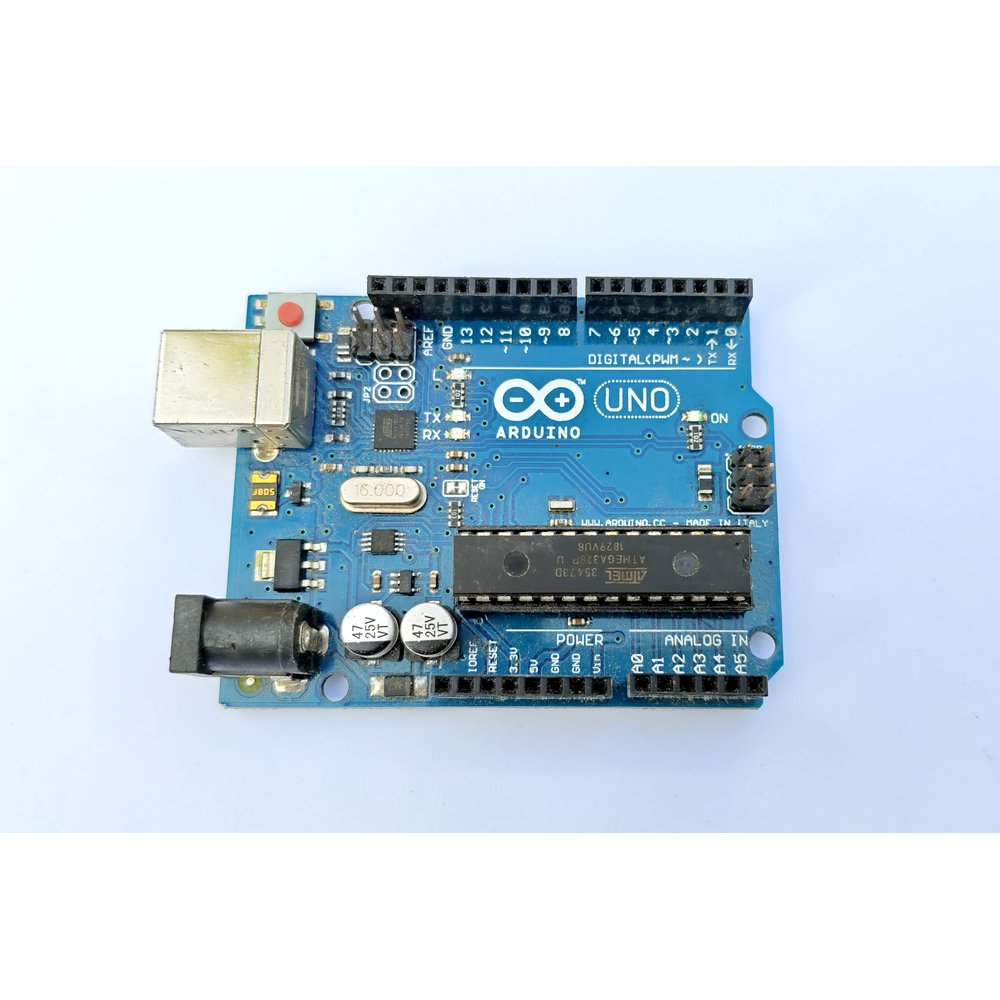
- Any Arduino board
- Four jumper wires
Prices can change; check Tekko for the latest.
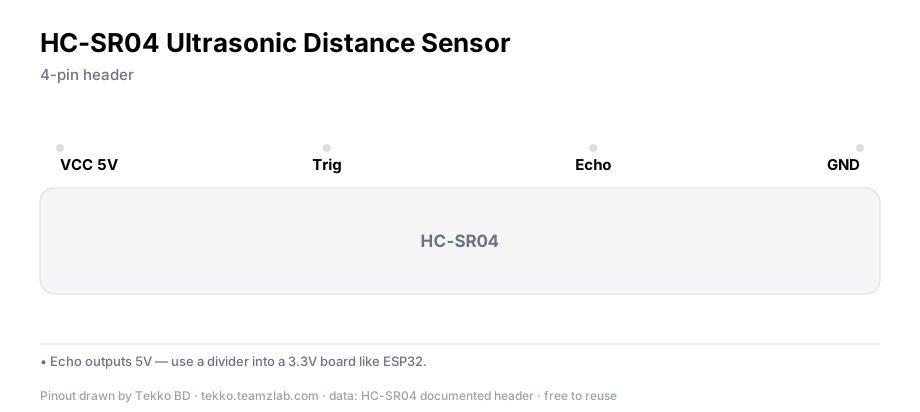
Ultrasonic sensor pinout
| Pin | Function | Arduino |
|---|---|---|
| VCC | 5V power | 5V |
| Trig | trigger the burst | digital pin 9 |
| Echo | echo pulse out | digital pin 10 |
| GND | ground | GND |
Note
On an ESP32, do not feed the Echo pin straight in — it outputs 5V and ESP32 pins tolerate 3.3V. Put a divider on Echo (e.g. 1kΩ + 2kΩ) and the level drops to ≈3.3V.
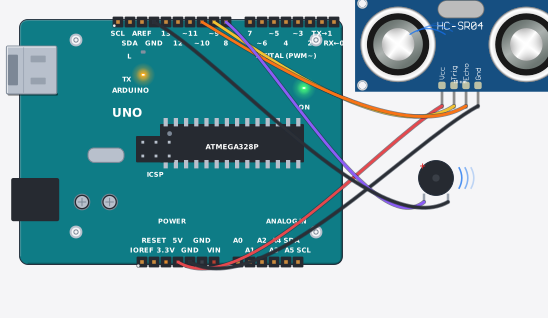
Once it is wired, compare your build with this drawing from Tekko Sim. The whole circuit runs free in the browser.
The ultrasonic sensor code
const int TRIG = 9;
const int ECHO = 10;

void setup() {
  pinMode(TRIG, OUTPUT);
  pinMode(ECHO, INPUT);
  Serial.begin(9600);
}

void loop() {
  digitalWrite(TRIG, LOW);
  delayMicroseconds(2);
  digitalWrite(TRIG, HIGH);          // at least 10 µs = "measure now"
  delayMicroseconds(10);
  digitalWrite(TRIG, LOW);

  long duration = pulseIn(ECHO, HIGH, 30000);  // wait max 30 ms
  int cm = duration * 0.0343 / 2;

  Serial.print(cm);
  Serial.println(" cm");
  delay(300);
}
pulseIn() measures how long Echo stays HIGH, in microseconds. 343 m/s is 0.0343 cm/µs. Divide by two for the round trip.
Verify it works
Open the Serial Monitor at 9600 baud. It prints a distance about three times a second. Bring your hand toward the sensor slowly: 20, then 10, then 5 cm. Point it at a wall and the number should sit steady at the wall's distance.
Common problems
- Always 0 or tiny numbers — Trig and Echo are swapped. Trig goes to the pin your code sets as OUTPUT.
- pulseIn returns 0 — nothing within range (over 4 m), or nothing in front at all. Treat the 30 ms timeout as "saw nothing" and handle it in code.
- Soft targets vanish — cloth, foam and curtains soak up the sound. Test on a hard surface.
- Wrong readings on an angle — at 45° the echo bounces away. Face the surface squarely.
- Odd numbers with metal behind or beside the sensor — leave free space around the module. Hard objects hugging it can muddy the echo.
Specification
| Spec | Value |
|---|---|
| Power | 5V, ≈15 mA |
| Range | 2–400 cm |
| Effective cone | ≈15° |
| Frequency | 40 kHz |
| Protocol | Trig 10 µs pulse → Echo pulse width |
Worth knowing
- For outdoors or wet use, take the JSN-SR04T waterproof version. Its probe sits on a separate cable.
- Several HC-SR04s in one circuit can hear each other. Space the measurements 30 ms apart (the delay in the code above does it), or run them in groups.
FAQ
Why does it fail under 2 cm? The receiver needs a moment after the burst before it can listen. An echo from under about 2 cm comes back before it is ready. Every ultrasonic sensor has this blind zone.
How much is it? We do not print prices on the blog because they change. Check the sensor page or ask on WhatsApp.
The reading wobbles a little each time. Is that normal? Up to ±3 mm, yes. Take the median of five readings in a row to steady the number.
More from Tekko
- Sensors category — HC-SR04, JSN-SR04T and more
- Modules category
- Run it free first: ultrasonic alarm in Tekko Sim
Sources
- Arduino
pulseIn()reference — arduino.cc
Try it free before you buy
This project runs free in Tekko Sim, right in your browser — before you spend a taka.
Ultrasonic Sensor Arduino (HC-SR04) — Run in Sim