18650 Battery and BMS: Safe Charging and Wiring Guide
18650 battery safety in plain terms: why you need a BMS, how to charge Li-ion properly, polarity and storage rules, and how to wire a 2S pack.
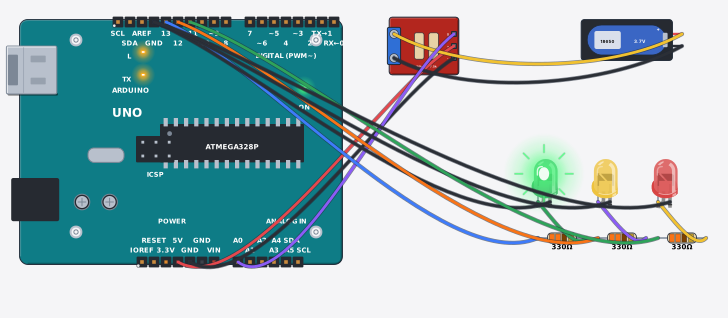
Power banks, laptop packs and e-bikes mostly run on the 18650 battery. The name is the size: 18 mm across, 65 mm long. Nominal 3.7V, full at 4.2V. It makes very good backup power for a project, but lithium-ion is the one part where breaking a rule can mean heat, swelling or fire. So the rules come first and the circuit second.
What you need
- An 18650 Li-ion cell (flat-top is fine for holders)
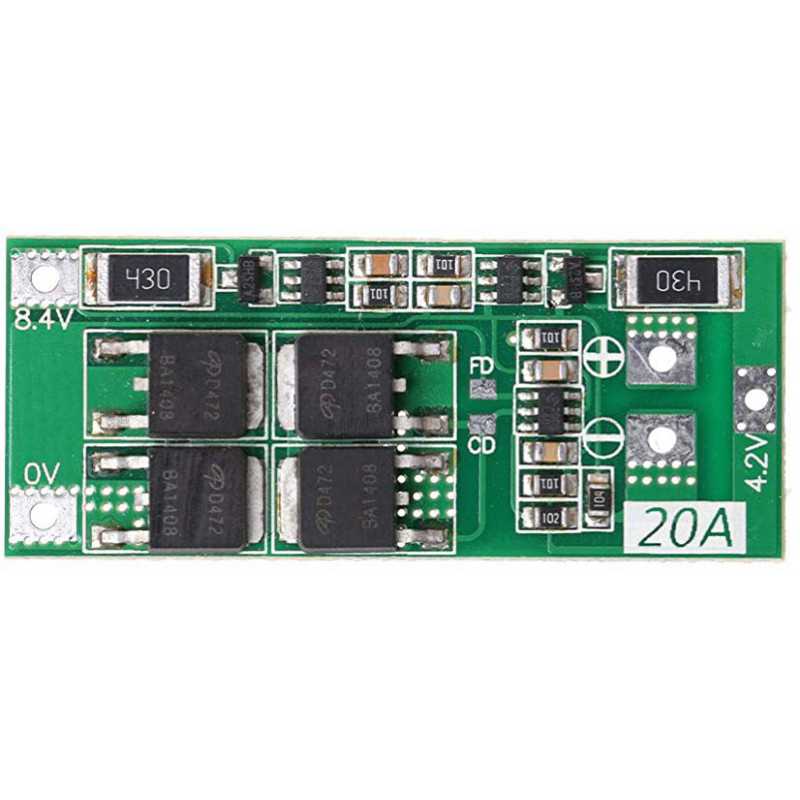
- A BMS board: 1S for one cell, 2S 8.4V for two in series, like the 2S 20A BMS board
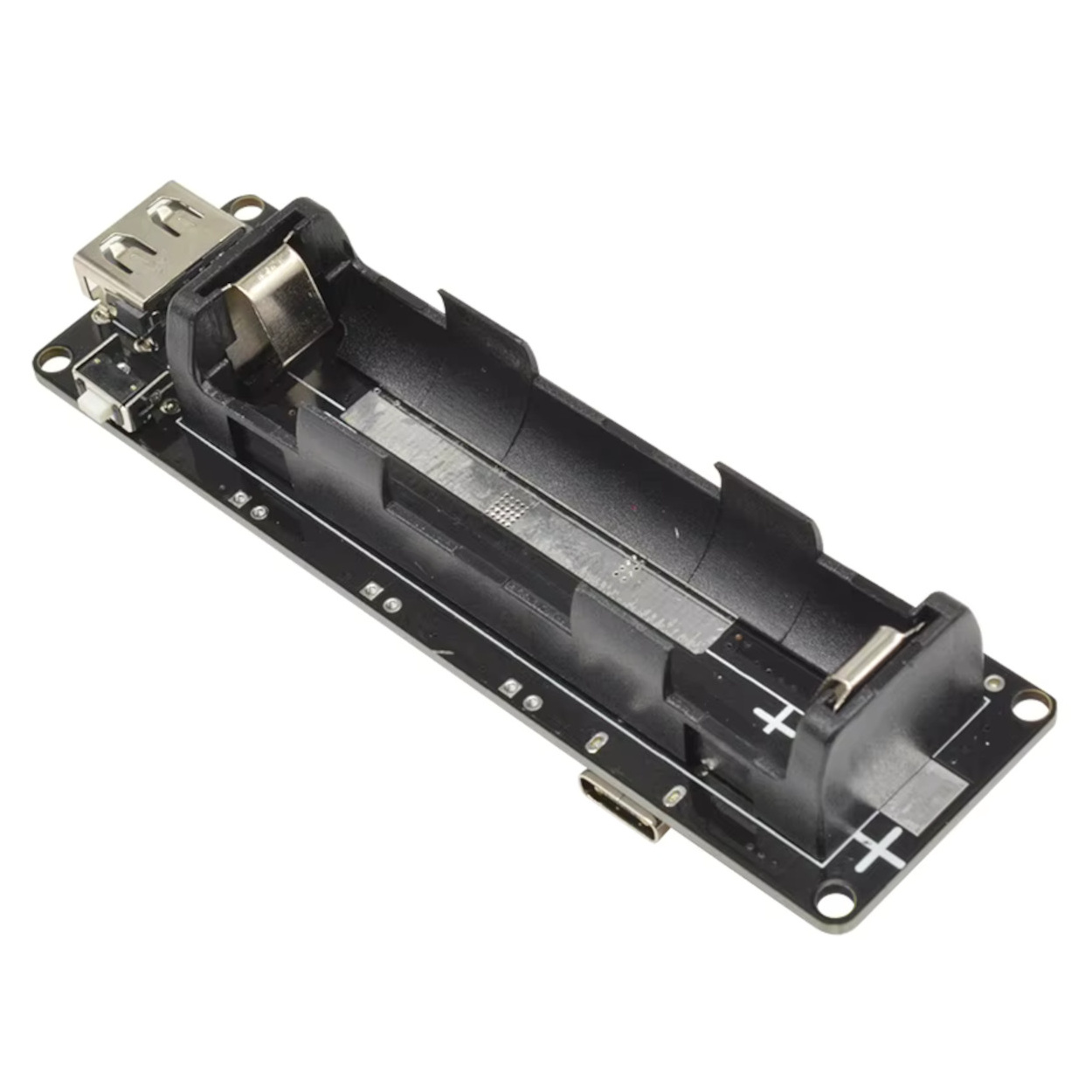
- Or an 18650 battery shield, which does charging and output on one board
- A cell holder. Never solder onto the cell itself
Warning
18650 Li-ion batteries and BMS: mistakes can start a fire. Match plus and minus before connecting; in a 2S pack the two cells go in series, and one reversed cell can defeat the BMS. Never bridge the bare ends of wires — a short circuit can heat the cell. Charge only with a proper lithium charger (a TP4056 or a 2S charging board), never straight from a phone charger, and never without a protection board — the BMS stops overcharge. Full is 4.2 V per cell, 8.4 V for 2S; more than that is dangerous. Store idle cells at 3.7–3.8 V, not topped up, and keep them away from heat and sunlight. Never use a swollen, punctured or bad-smelling cell. Under-16s work with an adult nearby, and never carry bare cells loose with keys or coins. Hand dead cells to a battery recycling point — not the bin.
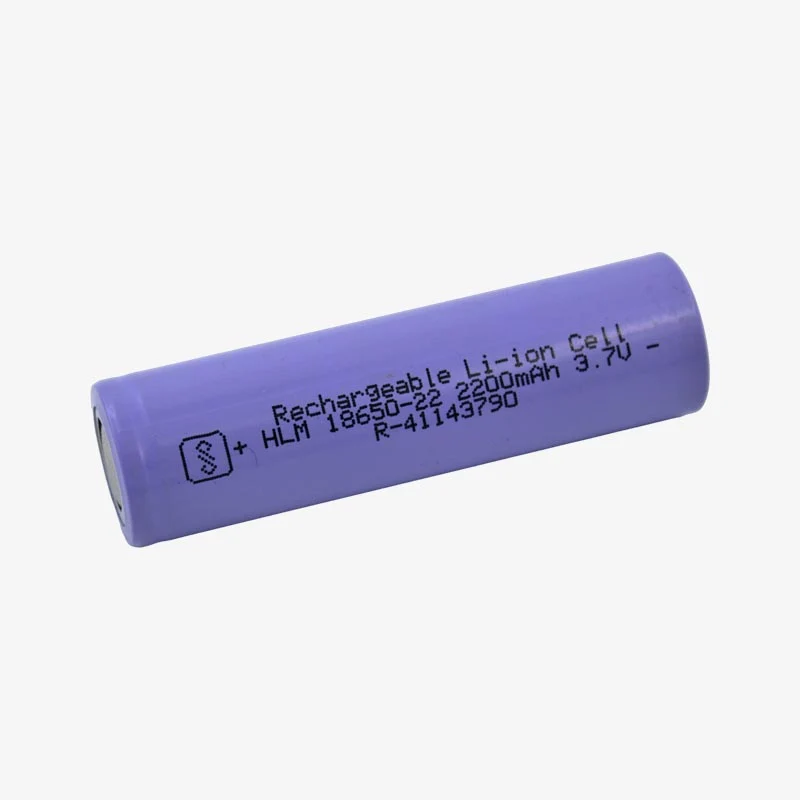
Prices can change; check Tekko for the latest.
Why an 18650 battery needs a BMS
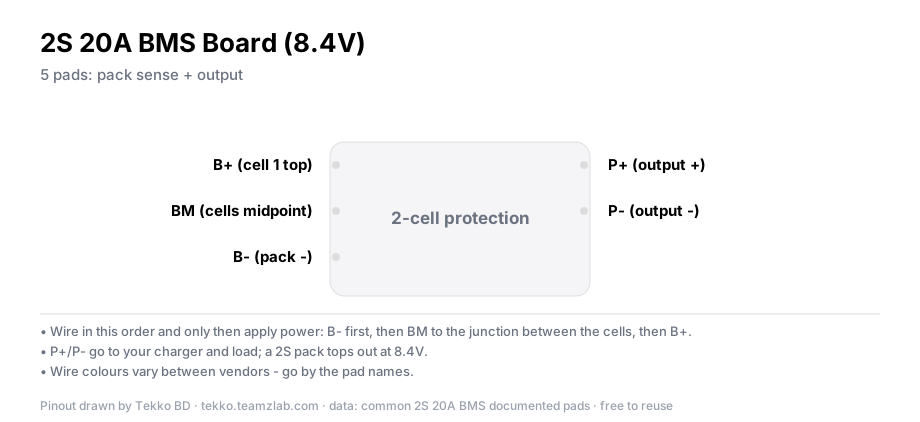
A Li-ion cell drained below about 3.0V is damaged, and one charged above 4.2V becomes dangerous. A BMS (Battery Management System) board watches both limits. It cuts off over-charge, over-discharge, shorts and, on most boards, over-current, whatever your code is doing. A "2S 20A 8.4V" board means two cells in series (7.4V nominal, 8.4V full) and a 20A load rating.
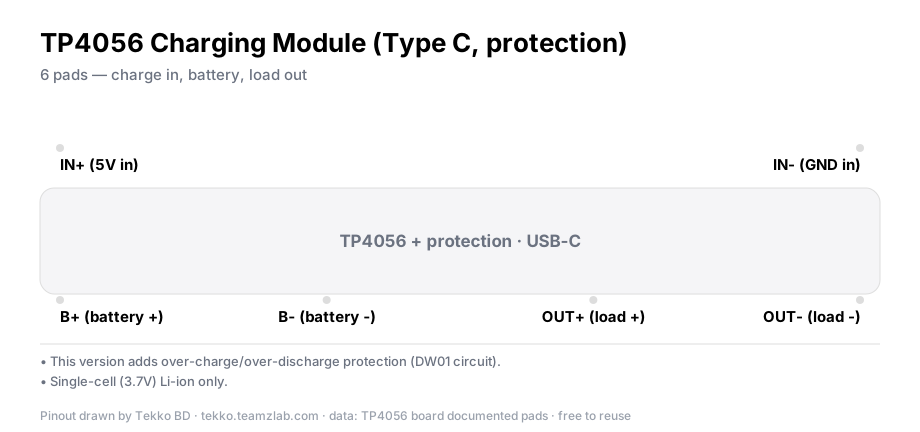
Charging has its own rule. Li-ion charges CC/CV: constant current first, then 4.2V held while the current tapers to zero. A bare 5V adapter on a cell does none of that. Use a charge board or a shield, which have the CC/CV circuit built in. For one cell, a TP4056 charging module works. It is single-cell only (3.7V), so never use it on a 2S pack. A 2S pack needs a 2S charger board.
Step 1: two cells in series with a BMS
For 7.4V, put two cells in series (the + of one to the - of the other). Then wire the pack's three taps to the BMS pads B-, BM and B+. BM is the junction between the two cells. The load takes power from P+ and P-.
// Power budget (two cells in series):
// 7.4V x 2200 mAh ≈ 16 Wh
// An Arduino Uno drawing ~50 mA: 2200 mAh / 50 mA ≈ 44 hours (in theory)
// Add servos or motors and the budget burns 5-10x faster
Verify it works
- Measure the cell voltage. A healthy cell sits between 3.6 and 4.2V. Below 3.0V it is deep-discharged, so ask someone before you charge it.
- After wiring the BMS, voltage at P+/P- means the wiring is right. If you read 0V, check the polarity on the B pads first.
- While charging, feel it with your hand. Mild warmth is normal. Too hot to keep your hand on means stop charging now.
Common problems
- The BMS gives no output. The cells went onto the wrong B pads, or in the wrong order. Match B- → BM → B+ against the board's silkscreen.
- The cell will not go into the holder. Don't force it. Straighten the holder spring. If the plastic wrap on the cell is torn, the cell is finished.
- The shield's USB output cuts off. Many shields drop out on very small loads. Take power from the output pins instead.
- Runtime keeps getting shorter. Old cells lose capacity even when the voltage reads fine.
Storage and disposal
- Storing for a long time: leave cells at about 3.7–3.8V (half charge), somewhere dry and cool, and check the voltage every two or three months.
- Dead cells: discharge to about 3.0V, tape over both ends, and give them to an electronics-waste collection point. Not the household bin.
FAQ
Can I skip the BMS and wire the cell straight to an Arduino? It will run, but not safely. Nothing watches the discharge floor. At the least, add low-voltage cutoff logic or a BMS.
Can I put two different brands in series? No. Same brand, same model, same charge state. Otherwise one cell ends up carrying the other.
Is an 18650 just a big AA? No. The voltage (3.7 vs 1.5), the chemistry and the risks are all different. Never put one in an AA holder.
More from Tekko
- Sensors category — BMS boards, cells, shield modules
- Modules category — charger boards
- Diode comparison for protection parts
Sources
- Battery University — Types of Lithium-ion (BU-205)
- Board markings on the stocked 2S 20A 8.4V BMS
Try it free before you buy
This project runs free in Tekko Sim, right in your browser — before you spend a taka.
18650 Battery Health Checker — Run in Sim