Science Project Ideas for Class 6–10 and HSC: 12 Builds
12 Arduino science project ideas for school fairs, easy to hard: parts, what each shows, what judges ask. Build each free in a simulator first.
Three days to the school science fair and no project yet. Three questions keep circling: can I actually build it, can I get the parts, and what will the judges ask? These 12 science project ideas answer all three. Each one runs on an Arduino, uses ordinary parts, and links to a Tekko Sim project, so you can build and run it free in your browser before buying anything.
Our pick up front. Class 6–8: the night light (LDR) or the water level indicator. Class 9–10: the smart dustbin or the plant watering system. HSC and above: smart irrigation or the launch safety monitor. With under three days left, skip the hard list.
What you need
Almost every project shares the same basics:
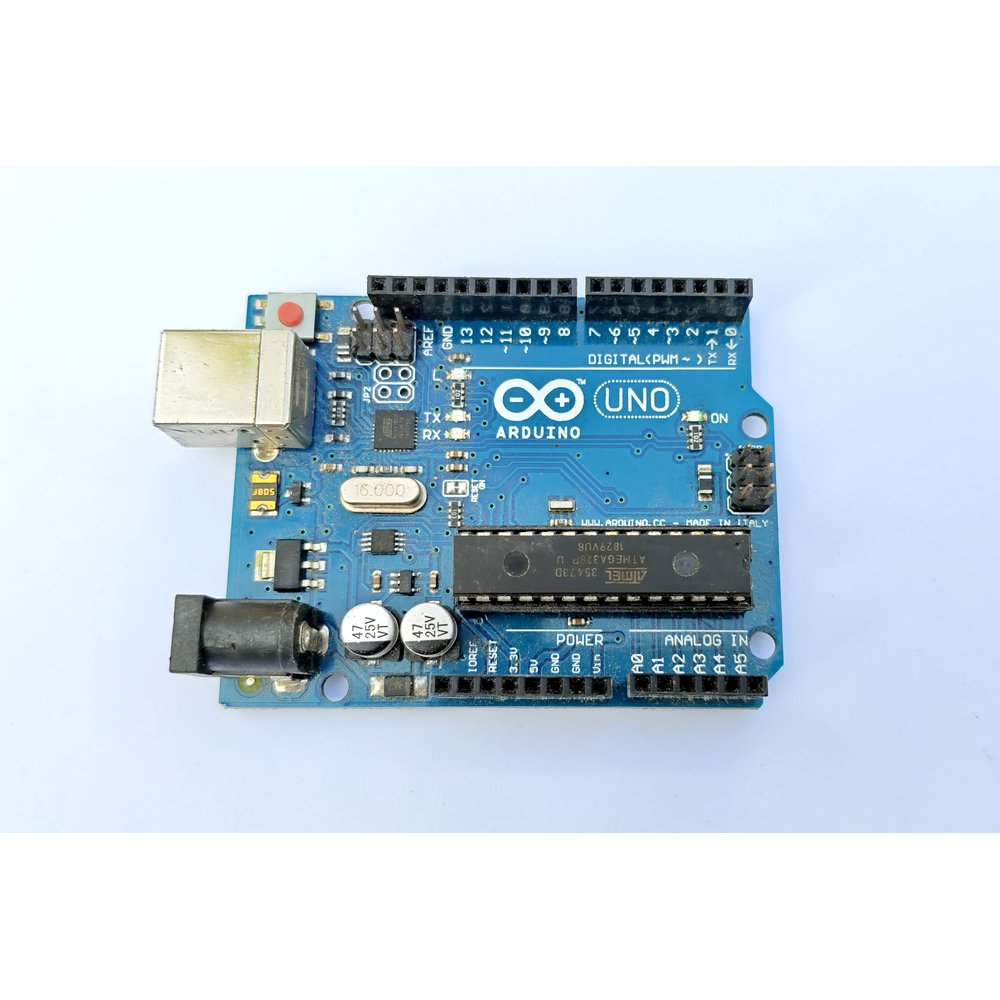
- Arduino Uno R3 and a USB cable (you need a computer once to upload the code; on fair day a 5V phone charger or power bank runs it)
- Breadboard and jumper wires
- LEDs, 220 Ω resistors, a buzzer
- The project's own sensor or motor, listed in each section below
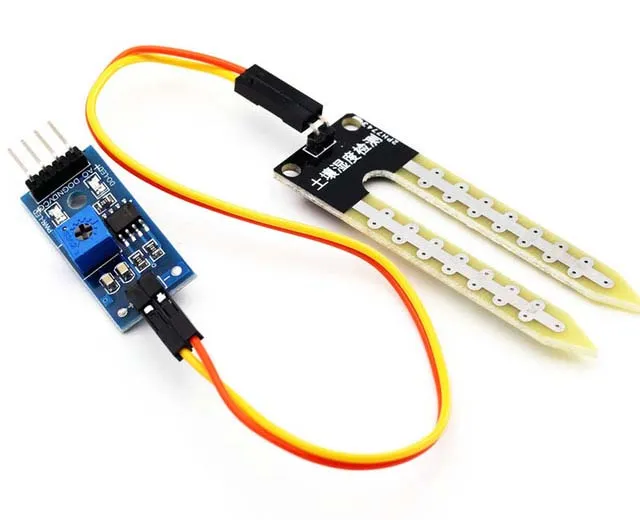
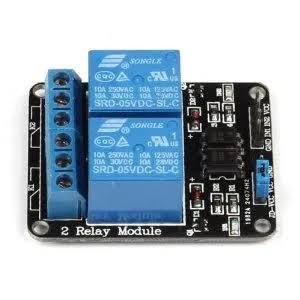
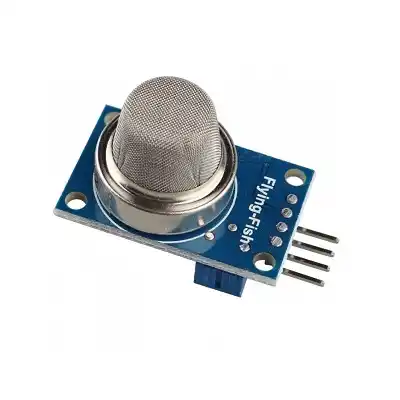
Prices can change; check Tekko for the latest.
The 12 at a glance
| Project | Level | What it shows | Main parts |
|---|---|---|---|
| Traffic light | Easy | Timed sequence, delay() | 3 LEDs |
| Night light | Easy | Measuring light, LDR | LDR, 10k resistor |
| Rain alarm | Easy | Water carries current | Rain sensor, buzzer |
| Water level indicator | Easy | Tank in three steps | Water level sensor, LEDs |
| Smart dustbin | Medium | Distance by sound | HC-SR04, SG90 |
| Plant watering | Medium | Soil moisture, relay | Soil sensor, relay, pump |
| Gas leak detector | Medium | Analog gas reading | MQ-2, buzzer |
| Fire alarm | Medium | Infrared from flame | Flame sensor |
| Line follower | Hard | Feedback control | 2 IR sensors, L298N, motors |
| Smart irrigation | Hard | Thresholds and hysteresis | Soil sensor, relay, LCD |
| Heartbeat monitor | Hard | Pulse from light | MAX30102, OLED |
| Launch safety monitor | Hard | Many sensors, one score | Load cells, tilt, water sensor |
Easy science project ideas: class 6–8
Few wires, short code, and mistakes are easy to find.
1. Traffic light
Three LEDs on pins 12, 11 and 10, lit in red-yellow-green order. It shows that a computer follows a rule step by step. It is the simplest build, which also makes it look ordinary. Add a pedestrian button and it stops looking like everyone else's. Run it in the simulator.
2. Automatic night light
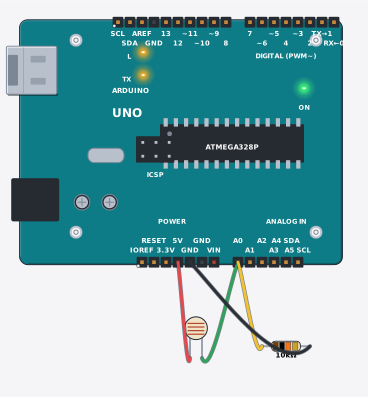
An LDR's resistance drops in light and rises in the dark. The Arduino reads that change with analogRead() as a number and switches the LED on below a set level. A judge will ask why there is a 10k resistor. Answer: the LDR and the 10k form a voltage divider, which is how the Arduino turns a resistance change into a voltage it can measure.
3. Rain alarm
When water lands on the rain sensor plate it joins two tracks, a buzzer sounds and an LED lights. The science is simple: wet and dry conduct differently. For the environment angle, tell it as "a signal to close the window when rain starts". See it in the simulator.
4. Water level indicator
Green, yellow and red LEDs show low, half and full, and a buzzer sounds when full. Everyone understands a rooftop tank, so the explanation is easy. Fill and drain a clear bottle to demonstrate. Do not submerge the whole sensor, only its probe area. Run it in the simulator.
Medium science project ideas: class 9–10
These have something that moves, which helps on a stage.
5. Smart dustbin
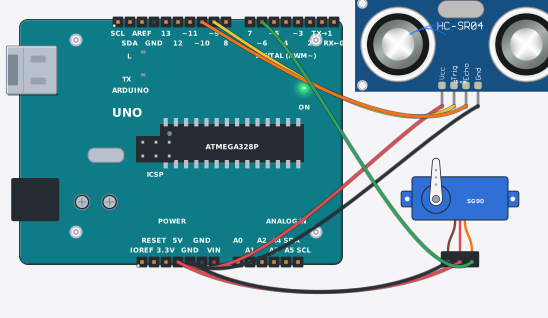
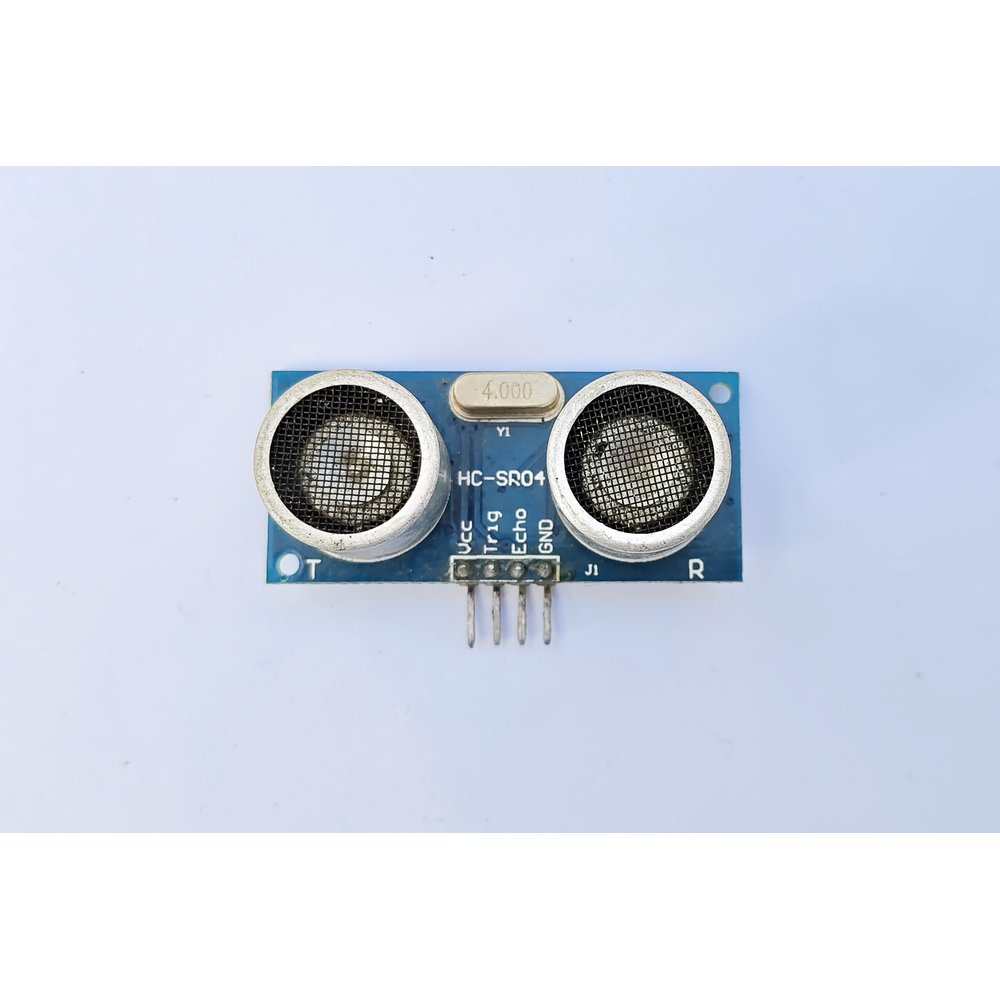
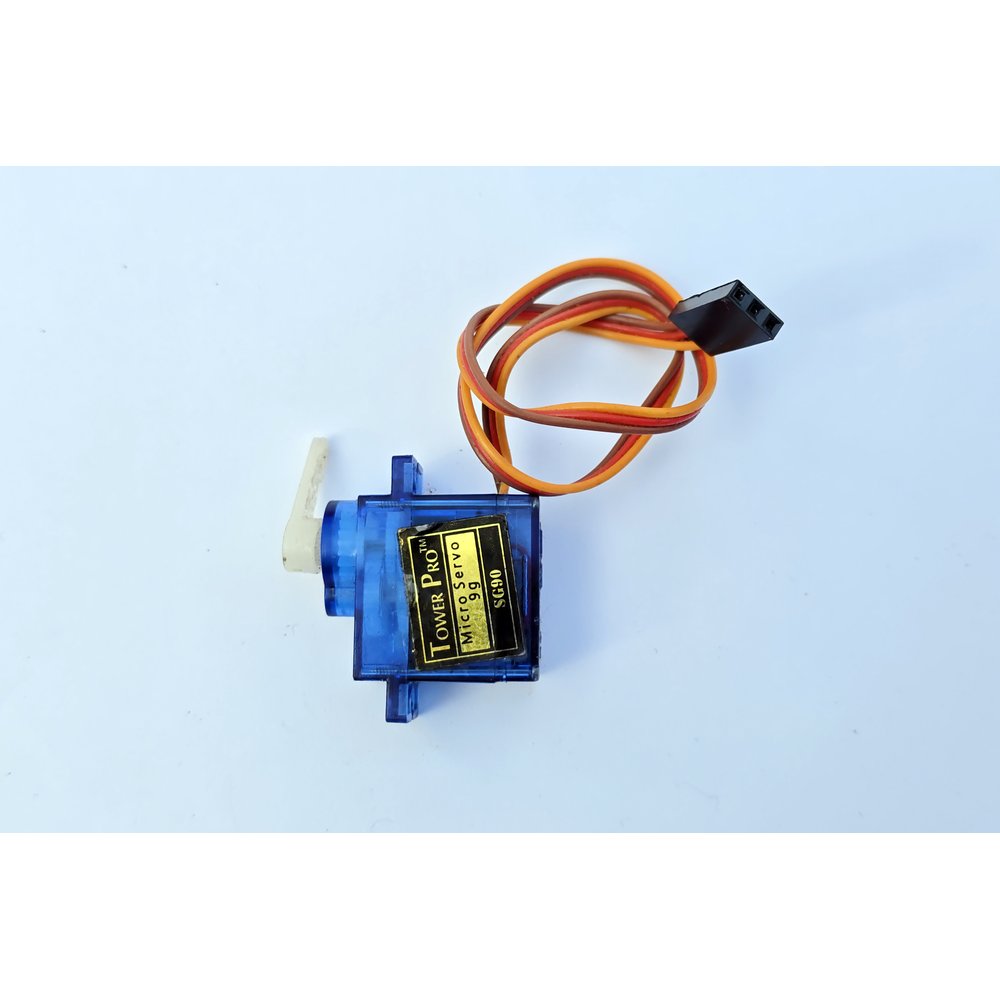
The HC-SR04 sends out sound and times the echo. When a hand comes near, an SG90 servo lifts the lid, then lowers it a few seconds later. A small tin with a lid is enough. The idea is simple and familiar, so show something extra, such as a count of openings on an LCD. The parts come together in the Smart Dustbin Kit. The tin and the glue to fix the servo arm are not in the kit; the kit page lists what is missing.
6. Automatic plant watering
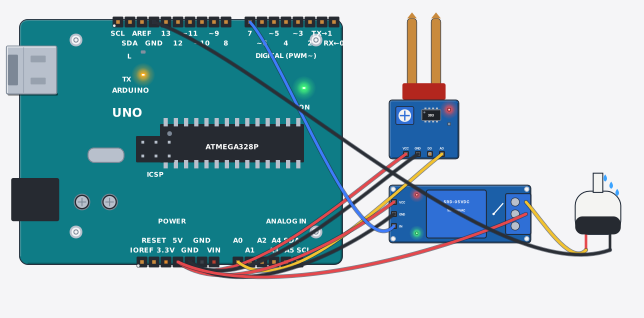
When the soil dries, the sensor reading changes, the Arduino switches a relay, and the relay completes the pump's circuit. The best judge question here: why not power the pump straight from an Arduino pin? Because the pump draws more current than a pin can supply. Full wiring and code are in the plant watering project guide. Parts bundle: Automatic Plant Watering Kit.
Warning
Warning — motors, pumps and water: keep water and electronics apart. The pump part that sits in water — never handle its wires wet, and keep the water container at least a hand's width from the board; one spill can end it. Switch off and unplug before touching the pump or moving parts. A spinning shaft, gear or fan blade looks harmless — tie long hair back, keep loose sleeves and strings away, and stop the power before reaching in. A jammed motor heats up; if it stalls, stop within a minute. Sit the pump firmly on the tank floor and never run it dry — an empty pump dies fast. Younger builders work with an adult.
7. Gas leak detector
The MQ-2 reads LPG and smoke in the air. Above a set level, a red LED lights and a buzzer sounds. It is a kitchen-gas story, so parents pay attention too. There is a Gas Leakage Detector Kit and a step-by-step MQ-2 project guide. MQ sensors need time to warm up and settle, so do not trust the first reading. Leave it on for a while before the demo.
Note
This is a learning project, not a certified safety alarm. At the fair, do not say "put this at home and it will protect you from gas". Say "this shows how a sensor detects gas".
8. Fire alarm
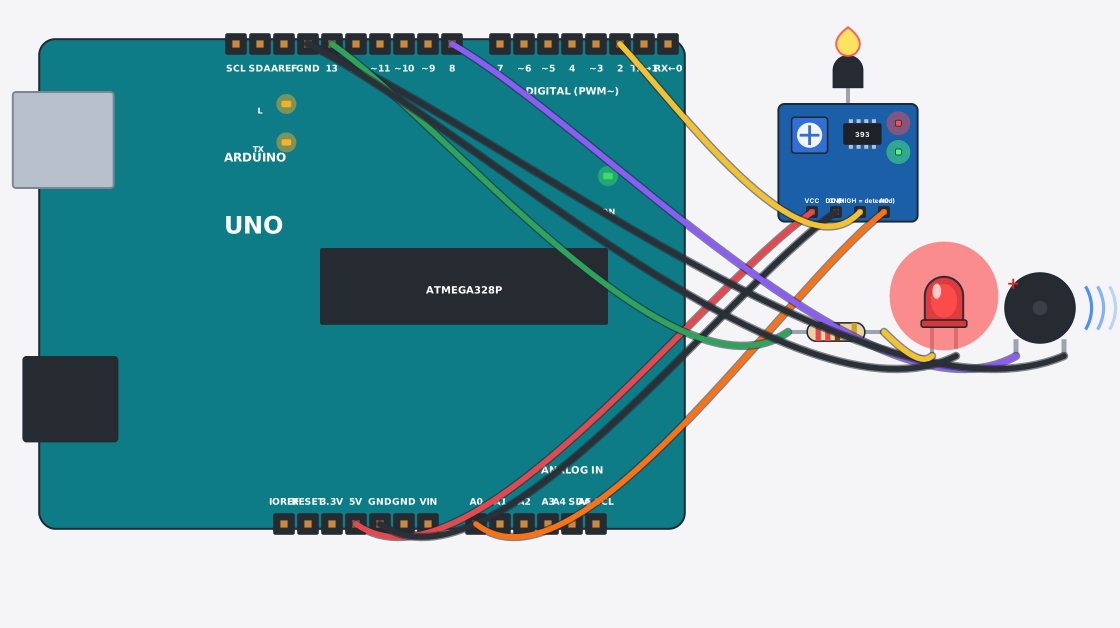
A flame sensor picks up the infrared light of a fire, and the Arduino turns on a buzzer and LED. Ask the organisers first whether open flame is allowed in the hall. If not, bring a simulator screenshot or video and demonstrate with that. Run it in the simulator.
Hard science project ideas: HSC and above
More parts, longer code, more trouble. Not a three-day project.
9. Line follower robot
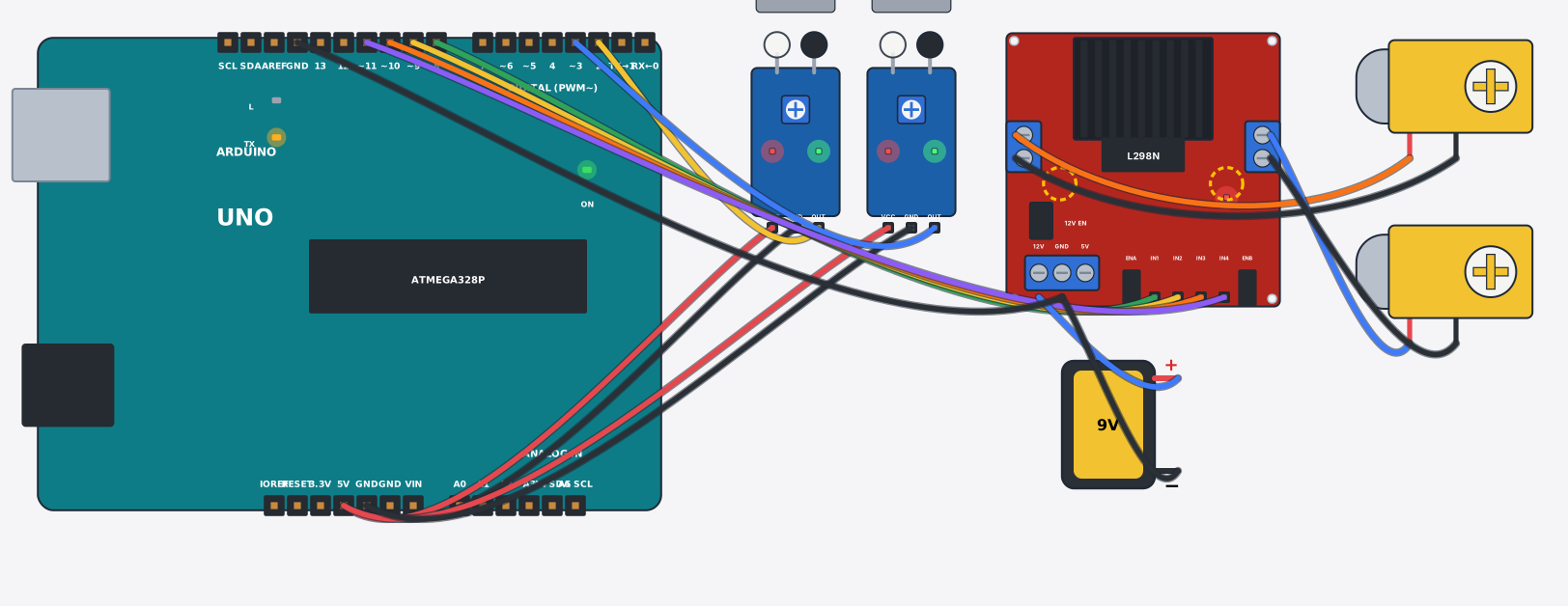
Two IR sensors watch a black line on the floor, and the Arduino changes the speed of the two wheels to match. The science is feedback control: sense, decide, correct. You need an L298N motor driver and a chassis; the 2WD chassis kit is a place to start. The biggest headache is not the code but the black tape and the light: sensor readings shift when room lighting changes.
10. Smart irrigation system
A step up from number 6. It has calibrated thresholds, two separate switch points so the pump does not flick on and off (this is called hysteresis), and an LCD showing the state. You can tell the judges you solved a control problem, not just switched a pump. Open it in the simulator.
11. Heartbeat monitor
The MAX30102 shines light through the fingertip, picks up the changing blood flow, and an OLED shows the pulse in beats per minute (BPM). It links nicely to HSC biology. Say clearly that it is a learning demo, not a medical device. See it in the simulator.
12. Launch safety monitor
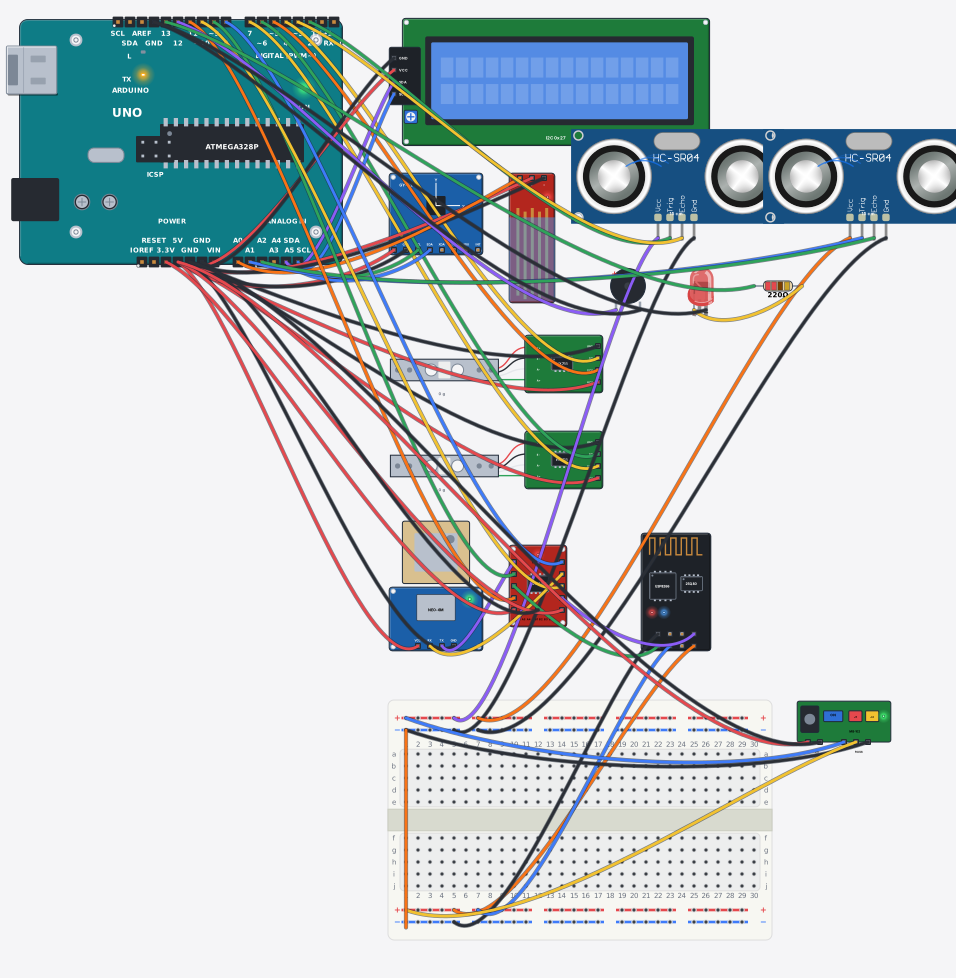
Two load cells watch left and right deck weight, two ultrasonic gates count passengers, an MPU6050 feels tilt, and a water sensor notices water getting in. The Arduino turns it all into one 0–100 score. Launches on Bangladesh's rivers make the topic real for everyone. It has many parts and a long sketch, so understand it fully in the simulator first. There is a Boat Safety Monitor Kit. It is also a learning prototype, not marine safety equipment.
How to present at the science fair
Building is half the job. Judges tend to ask the five questions below. Have an answer ready for each.
- "How does it work?" Three lines: what the sensor measures, what the Arduino decides, what runs at the end. For number 6: the sensor reads soil wetness, the Arduino decides "dry", the relay runs the pump.
- "What did you do yourself?" Be honest. If the code structure came from an example, say so, and show what you changed (the threshold, the pins, a new feature).
- "What if the sensor gives a wrong reading?" This one earns the most. Say you measured the threshold yourself, and that you re-measure when light or temperature changes.
- "Where is this used in real life?" Give one: a rooftop tank, a kitchen stove, a classroom bin.
- "How would you improve it?" Have a plan: a phone alert, solar power, saving data.
Bring a printed circuit diagram. Open the project in Tekko Sim, press the "Schematic" button, and you can download a PNG or SVG with the connection table. A screenshot works too. Put it next to the board so a judge can check which wire goes where.
Check it works
The day before the fair:
- The board runs from a phone charger or battery, not only from a laptop.
- Switch the power off and on: the project starts by itself again.
- You re-measured the sensor threshold in the lighting of the fair hall.
- Spare jumper wires and a spare LED are in your pocket.
Common problems
- Works at home, fails at the fair — hall lighting is different, so the LDR, flame or line sensor values have moved. Measure the threshold again and put the new value in the code.
- Servo jitters or the board resets — the servo draws more current than the Arduino's 5V can give. Add a separate 5V supply and join its GND to the Arduino GND. Details in the SG90 guide.
- Wires came loose in transit — photograph the circuit before packing and carry spare jumpers. Rewire from the photo.
- The sensor value will not change — a loose wire or GND in the wrong place. Print the number with
Serial.println()and look at it first.
Questions
Can I copy code from the internet? You can start there. But a judge may ask about it line by line. Change at least one thing yourself and be able to explain it: the threshold, a pin number, or a new feature.
Can I show only the simulator, with no board? That depends on the fair's rules. Most want a physical model. The simulator is good practice and a backup demo. It behaves like the real board for learning, but exact timing may differ.
Do I need an ESP32? None of these 12 needs one. An Arduino Uno is enough. Look at ESP32 later if you want Wi-Fi.
Which one is cheapest? The traffic light, night light and rain alarm need the fewest parts. Prices show live on each part's page, so no figures are written here.
More from Tekko
- Kits — project parts together
- Sensors — every sensor in one place
- Whichever you pick, run it free in Tekko Sim first. The parts list comes from the simulator
Sources
- Arduino language reference — arduino.cc
- Arduino Uno Rev3 hardware docs — docs.arduino.cc
Want it as one kit?
Smart Dustbin Kit — An ultrasonic sensor sees a hand coming near, and the Arduino turns a servo motor that lifts the dustbin lid, then closes it again a few seconds later.
See the kitTry it free before you buy
This project runs free in Tekko Sim, right in your browser — before you spend a taka.
Smart Dustbin Project using Arduino — Run in Sim