#include <Wire.h>
#include <Adafruit_MPU6050.h>
#include <Adafruit_Sensor.h>
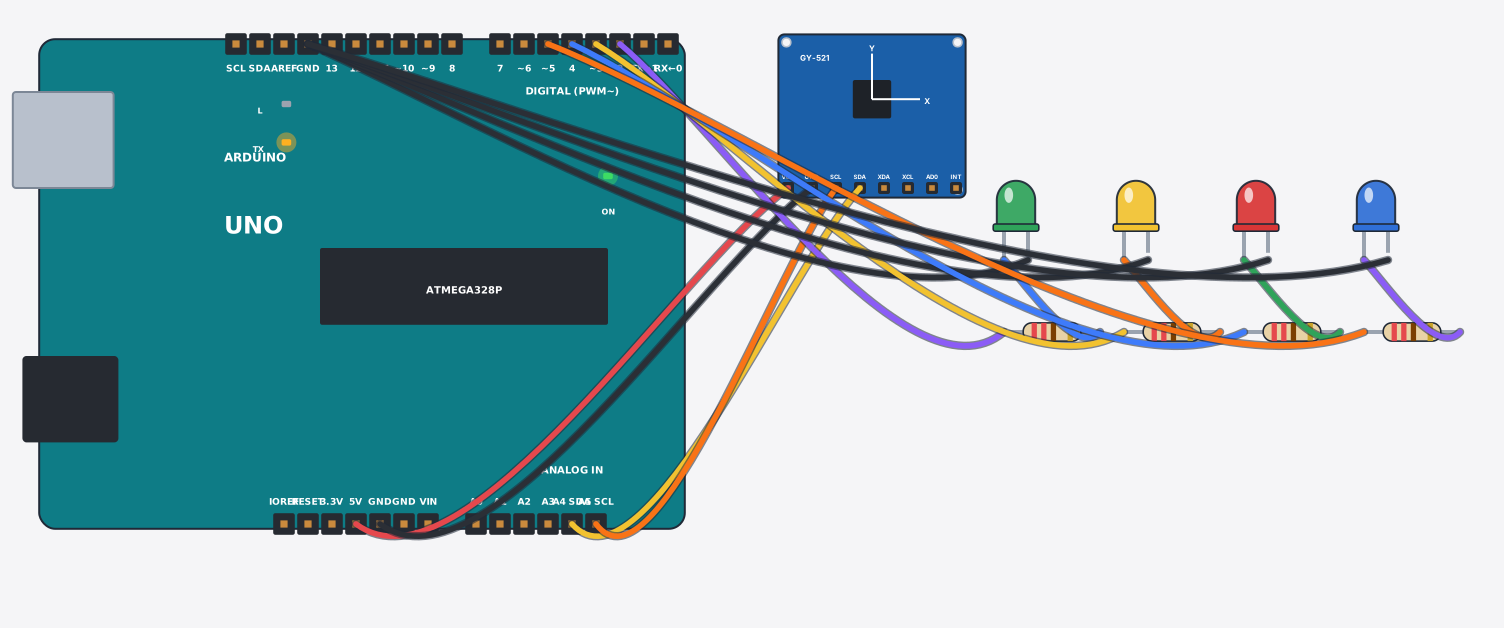
// Tilt controller: the MPU6050 measures acceleration in m/s squared on three axes.
// Lying flat, Z reads 9.8 (gravity). Tilt it and X or Y picks up some of that pull,
// which tells you which way it leans. One LED lights for the leaning direction.
// Slide the Accel X / Accel Y controls on the sensor to tilt it.
Adafruit_MPU6050 mpu;
const int up = 2, down = 3, left = 4, right = 5;

void setup() {
  pinMode(up, OUTPUT); pinMode(down, OUTPUT); pinMode(left, OUTPUT); pinMode(right, OUTPUT);
  Serial.begin(9600);
  if (!mpu.begin()) { Serial.println("MPU6050 not found"); while (1) delay(10); }
  mpu.setAccelerometerRange(MPU6050_RANGE_8_G);
}

void loop() {
  sensors_event_t a, g, temp;
  mpu.getEvent(&a, &g, &temp);
  float x = a.acceleration.x, y = a.acceleration.y;
  digitalWrite(up,    y >  2 ? HIGH : LOW);
  digitalWrite(down,  y < -2 ? HIGH : LOW);
  digitalWrite(left,  x < -2 ? HIGH : LOW);
  digitalWrite(right, x >  2 ? HIGH : LOW);
  if (x > 2 || x < -2 || y > 2 || y < -2) {
    Serial.print("Tilt x="); Serial.print(x, 1);
    Serial.print(" y="); Serial.println(y, 1);
  } else {
    Serial.println("LEVEL");
  }
  delay(200);
}